An editor that keeps up
Multiple query tabs, formatting, find and replace, parameters and familiar keyboard shortcuts.
 SQL HopSign in
 A place to write, explore and keep the queries that move your work forward. Query on your desktop. Manage your account on the web. Work with your team.
30-day desktop trial from approval · Up to 10 trial users · Trial and paid querying on desktop
Oracle queries and results stay on your computer.
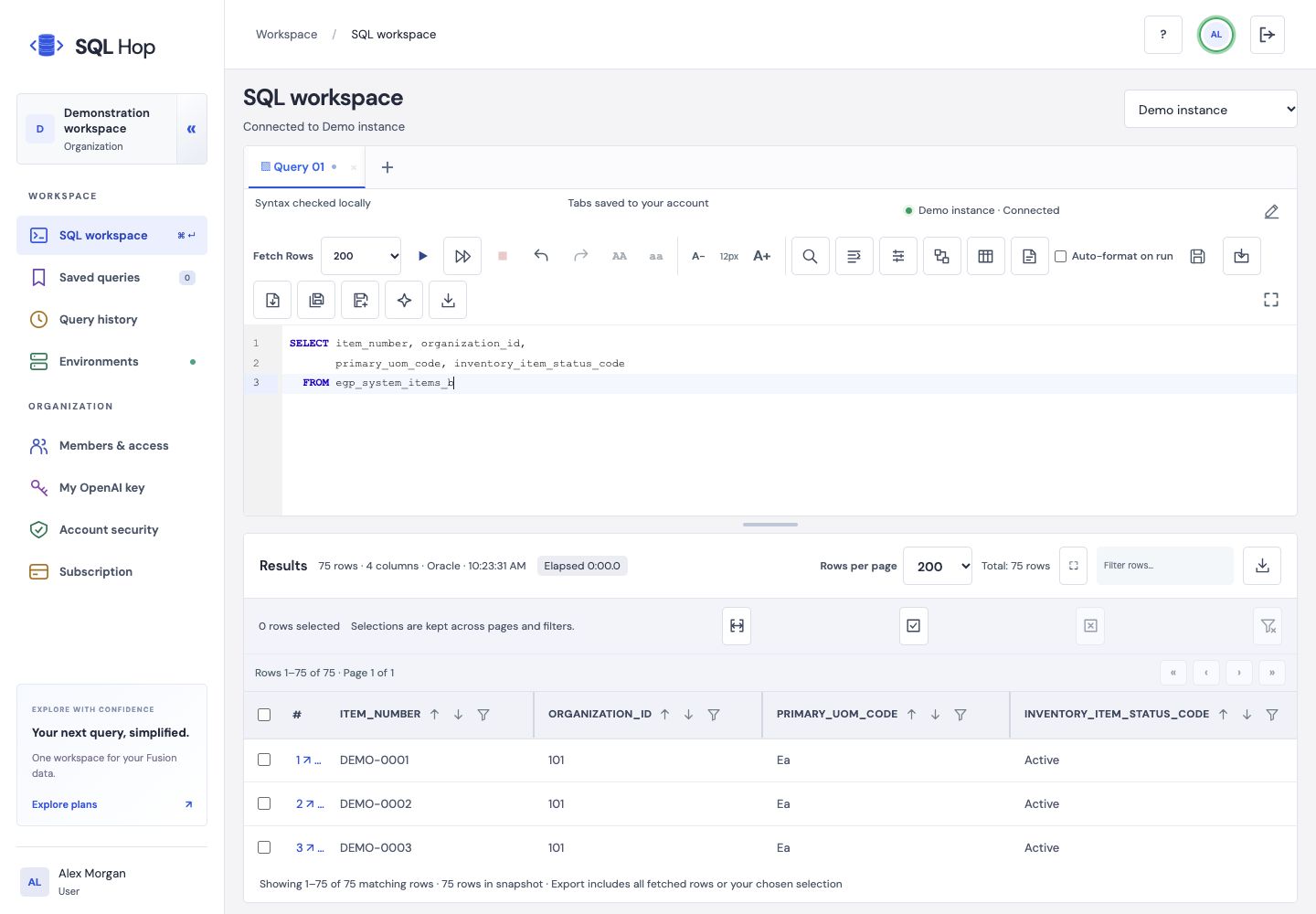
Move from editing to investigation without losing the SQL, result sets or small details that make an answer useful.
Multiple query tabs, formatting, find and replace, parameters and familiar keyboard shortcuts.
Filter, sort, resize columns and inspect a record in detail. Keep independent controls for separate result sets.
Save, update and duplicate queries. Restore your tabs and continue refining a visual query design.
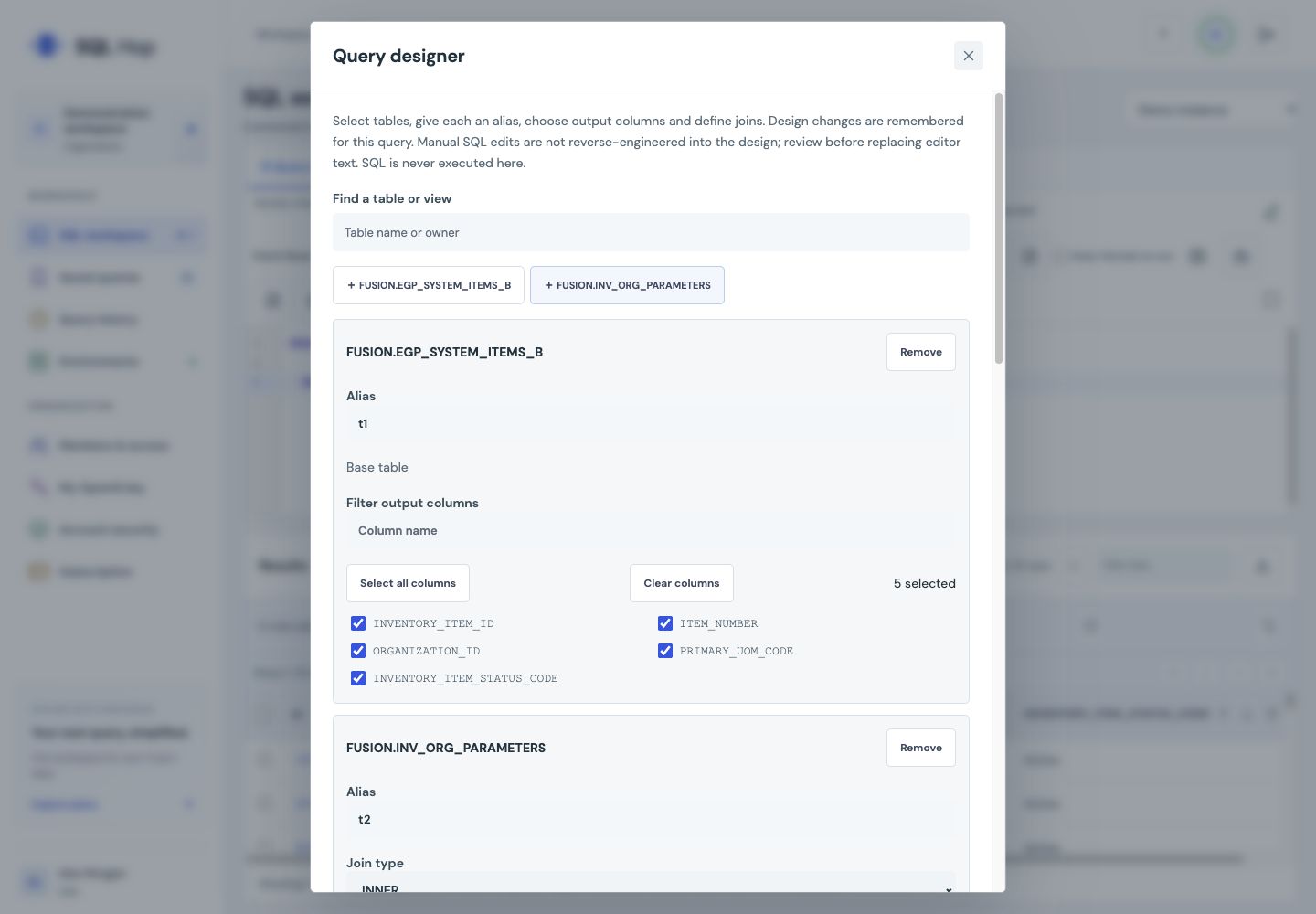
Build a query visually or write it directly. Run statements sequentially into separate result tabs, then export the rows you need.
Explore the features →Client administrators manage accounts and configured instances within their own organization. Platform settings stay with the site owner.
Draft, explain or refine SQL with administrator-controlled AI access. Query result rows are excluded from AI requests, and proposed SQL waits for your review.
Sign in to the app, then connect to an authorized instance. Trial and paid users connect from SQL Hop Desktop. Oracle queries and results stay on your computer; saving Oracle credentials with operating-system encryption is optional. Organization admins configure instance addresses on the website without entering users’ Oracle passwords.
Yes. Install SQL Hop Desktop for trial and paid querying, local results and background exports. The website manages accounts, subscriptions and organization settings. An authorized Oracle administrator must prepare the reporting objects in each instance.
Administrators can configure organization instances. Authentication and report compatibility must be verified separately for each environment.
No. An Oracle tab’s SSO cookies are not shared with this app. The configured report authentication must work independently.
No result rows are included in AI requests. Prompts and SQL are sent when you request assistance, so review SQL literals before sharing.
Create an organization and activate your email. Once the platform owner approves it, eligible users receive a one-time 30-day trial for up to 10 users. Download Desktop after approval. One computer is registered per named user; Oracle access is configured separately.
Start an organization trial, download Desktop, or sign in to manage your account.